
Dashboard
Once you have logged into the Stratus DocumentViewer, the dashboard will allow you to navigate the system.
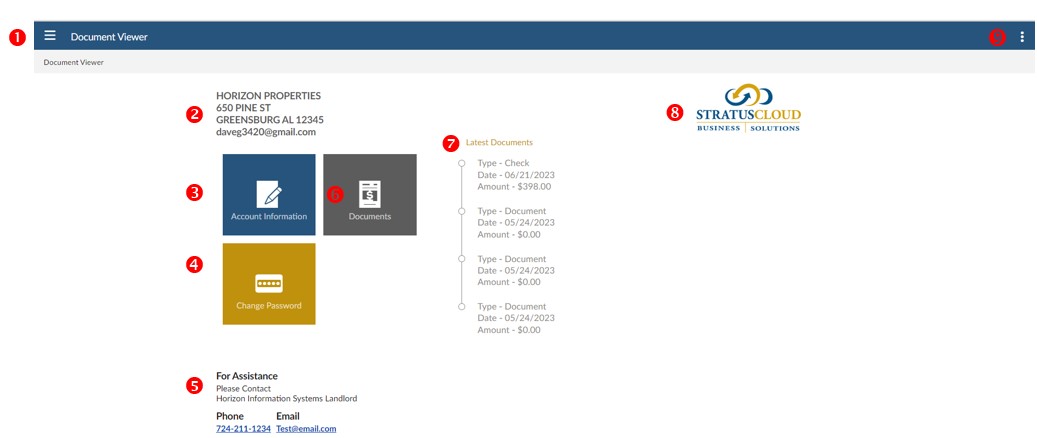
- Menu - click the three lines to logout or go to the dashboard
- Contact Information: your name, address, and email address on file
- Account Information: your name, address, and email address on file; Phase 2 upgrade will include ability to update from this screen
- Change Password: ability to change your default password.
- FOR ASSISTANCE: displays the contact person if you have any questions regarding your documents
- Documents: link to list of searchable documents uploaded to your account.
- LATEST DOCUMENTS listing will show the last four documents that were uploaded.
- Click a document to view a PDF.
- Logo: the logo of your company will display
- Help: access to online help
7/2023