
Step 3: Close 2025 Payroll
Closing 2025 has three main parts:
Close Process – End of Year Automated Tax Update Accumulation Rollover (optional)
Close Process – End of Year
 Navigation: UTILITIES menu > Process End of Year
- Click CLOSE PROCESS on the Quick Links bar.
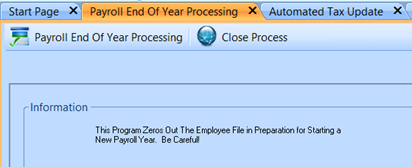
- Click OK when the process is complete.
Automated 2026 Tax Update - What It Changes
These taxes are updated by the Automated Tax Update:
- Federal Income Tax
- IRS 2026 tax tables are loaded in the Automated Tax Update.
- Social Security
- Wage base increases from $176,100 (2025) to $184,500 (2026)
- Employer rate: 6.2%
- Employee rate: 6.2%
- Medicare
- 1.45% for employer and employee on wages under $200,000.
- Extra 0.9% employee tax on wages over $200,000 (no employer match).
- Pennsylvania State Tax
- Rate stays at 3.07% for 2026.
- For other states, contact the Horizon Help Desk if rates change.
- Pennsylvania PSD Local Rates
- Updated with PA’s published rates.
- If you receive a local notice of a January 2026 rate change, verify the rate after the update.
Manual Tax Update
• FUTA and UC are not updated by the Automated Tax Update and must be handled manually.
• UC employer rates must be updated using the rate supplied to your company.
Complete Automated Tax Update
To perform the Automated Tax Update, follow these steps:
Navigation: UTILITIES menu > Automated Tax Update
- There are checkboxes for each tax to update. Uncheck any tax you do not want to update.
- Click UPDATE PROCESS on the Quick Links bar.
- A box appears with the year of the tax tables, such as: “2026 Tax Year Update – Update?”
- Click YES to update tables or NO to cancel.
- The update may take a few minutes while it checks all local tax codes and rates.
- When you see “PSD Table Updated”, the update is done.
- After the update is complete, review:
- Federal tax tables
- Social Security and Medicare (FICA)
- State tax tables
REMEMBER: If you do not have Internet or your network blocks this step, you may update tax rates manually.
Entitlement Rollover (Optional)
If you track entitlements (time off):
- Run the Entitlement Rollover after the last pay period that includes a time card date of 12/31/2025.
- Set up new-year entitlements as needed.
- Follow Rollover Entitlements at Year End for detailed steps.
- Do this after you run payroll for the pay period that contains December 31.
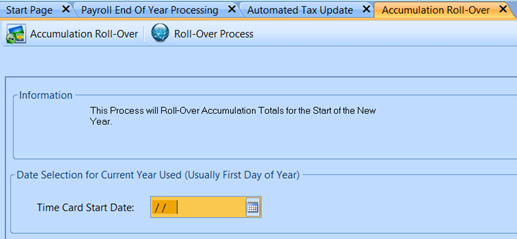
12/2025