Revised: 04/28/11
Go to Reports>>Absentee Reports>>Absentee Detail Report (Current)


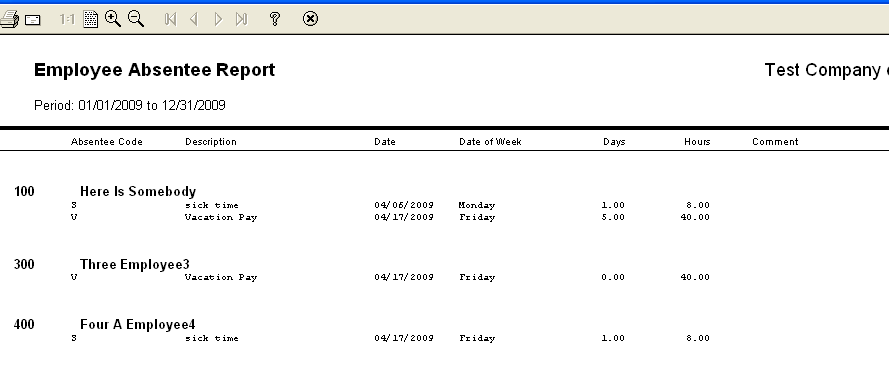
This program will generate a report of all absentee/entitlement codes that are currently entered in the Time Card Entry file by employee.
Leave the employee fields blank to generate a report that includes all employees with absentee time entered in Time Card Entry.See Also:
At the top of the view are the following functions:
Enter or select an employee to begin the report range with or leave this field blank to begin with the first employee.
Enter or select an employee to end the report range with or leave this field blank to end the report with the last employee. If both first and last employee are left blank, the report will include all employees.
Enter or select a beginning date for the report range.
Enter or select an ending date for the report range.
Click in one or more of the boxes in front of the absentee/earning codes to select it for the report, indicated by a checkmark in the box.
Clicking again in a check marked box will unselect the absentee/earning code.
Click this button to checkmark all of the absentee/earnings codes.
Individual absentee/earnings codes may be unselected by clicking the checked box again.
Click this button to uncheck any checked absentee/earnings code(s).
Individual absentee/earnings codes may be selected again by checking their box which will insert a checkmark.