
Rent Calculation Settings July 2025 (HOTMA)
With the changes brought by HOTMA, the Section 8 module now lets you use two sets of rent calculation values — one set from the Waiting List and one set stored directly in Section 8, with a clear effective date for switching.
 NAVIGATION:
🏠 PREVIOUS/CURRENT Values
Still managed in: Setup > Waiting List Setup > Rent Calculation/Defaults
🏠 NEW/FUTURE Values
Now added in: Setup > Rent Calculation Setup (inside the Section 8 module)
Steps to Set Up Section 8 for HOTMA/Future Values
- Check Your OLD Values. Go to Setup > Waiting List Setup > Rent Calculation/Defaults
Confirm that Exemption Amounts and Asset Caps for Imputed Income are current and correct. (These will still control all rent calculations in Waiting List, and also in Section 8 if the effective date hasn’t arrived yet.)
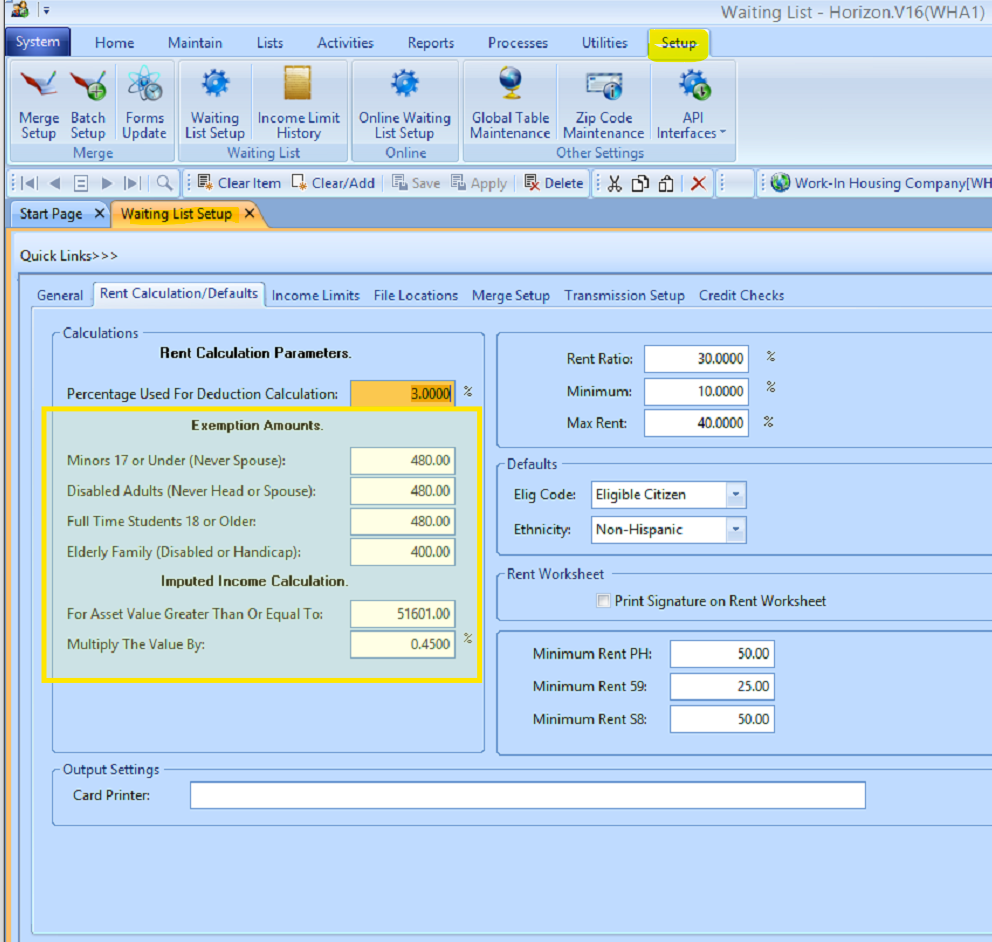
- Go to Section 8 Settings. Navigate to Section 8 > Setup > Rent Calculation Setup.
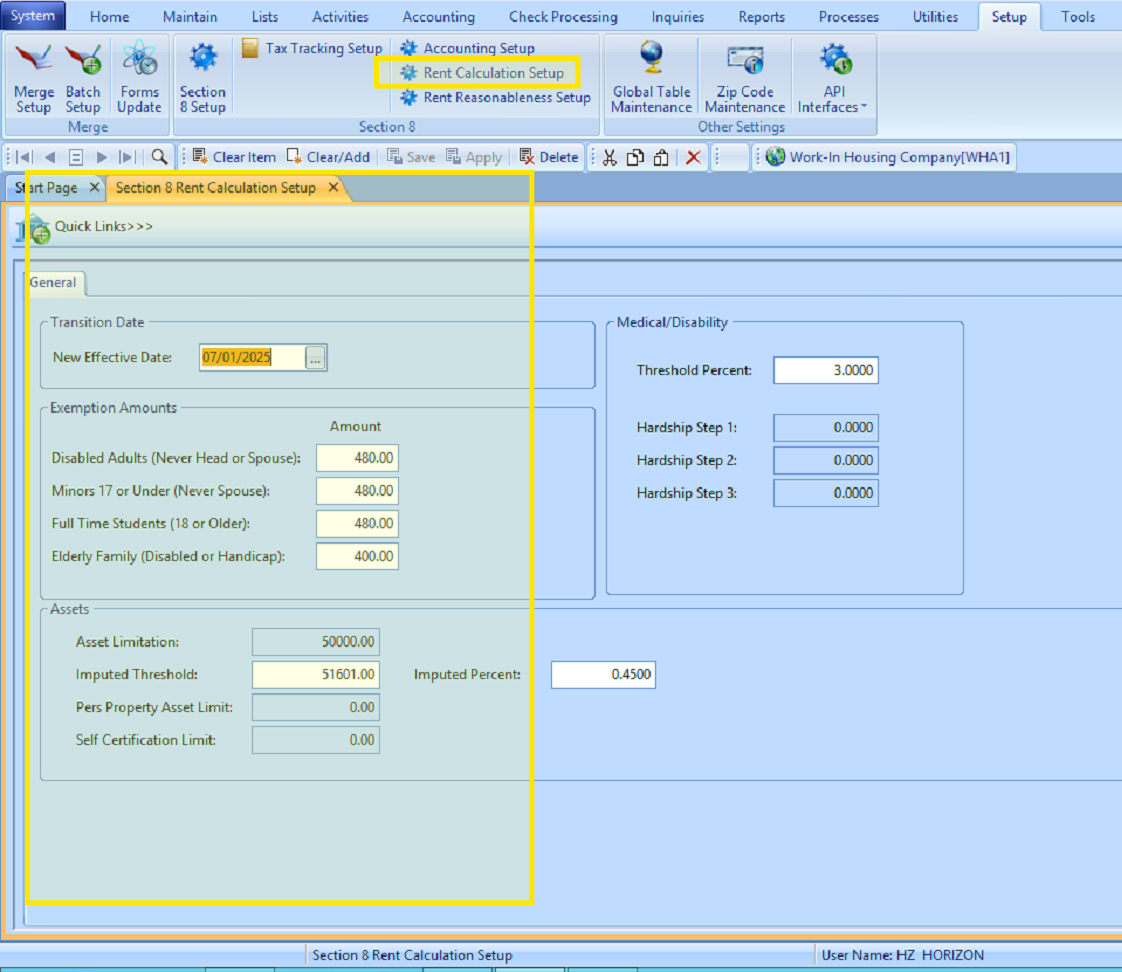
- Enter the Transition Date. Under Transition Date, add the date you want Section 8 to begin using its own values instead of the ones from Waiting List.
Tip: If you're doing this after 7/1/2025, it’s likely both sets of values will match. - Add Your HOTMA Values. Enter the updated Exemption Amounts and Imputed Income values directly into the Section 8 setup screen.
- Click SAVE. Your new rent calculation rules will take effect on the transition date.
July 2025