
Missing Services List - Residential Services
This report is to monitor residential day services. This report will show if an individual has a daily residential service authorization but no attendance is recorded. Before generating the billing file, review all dates this report to determine whether or not an attendance entry needs to be added. If everything is accurate, the report will be blank.
Missing Service List Report
 NAVIGATION: BILLING/AR menu > Billing Preparation
- On the left side of the screen, select the MISSING SERVICE LIST icon.
- FACILITY: leave blank for all or select a specific facility
- SERVICE DATE RANGE: enter or select the begin/end date
- Remember to the same date range throughout the entire billing process
- PROGRAM: leave blank for all or select a specific program
- SERVICE: leave blank for all or select a specific service code
- Place a check mark in the NOTIFY box and click the RUN REPORT icon.
- When the report is ready to review, a prompt will appear that says the report is complete.
- Click YES to open the report in a new window.
- If you do not click notify, you will need to access the report from your dashboard and it will open in the same window.
- If you want to create an Excel file, check the EXPORT TO FILE box before you process the report.
- The report will display on the screen and the file will be available on your dashboard so you can download/save it to your computer.
Review Report
The report will show the dates that any person who has a daily authorization but no attendance is entered. Review the report and enter attendance as needed.
In this example, the Test Person is authorized for a with and without daily residential service code.
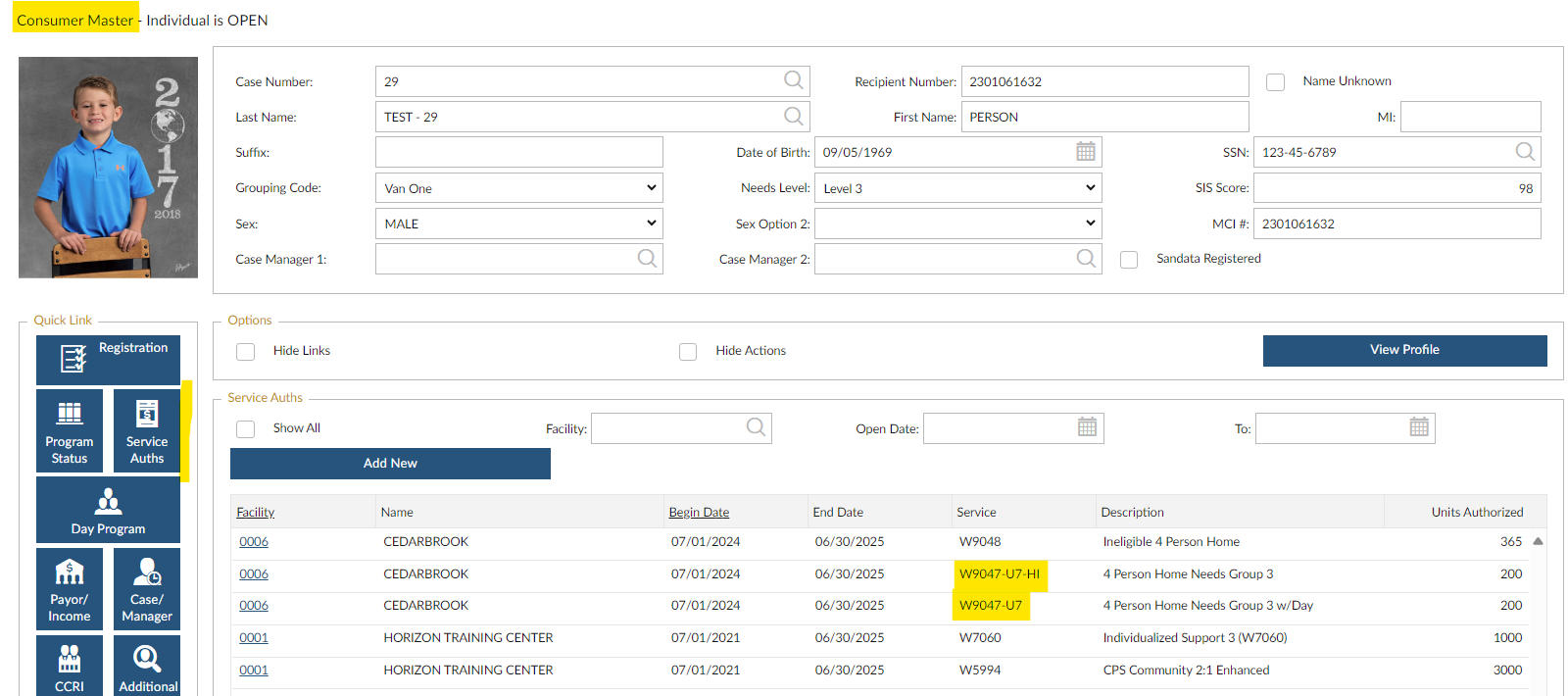
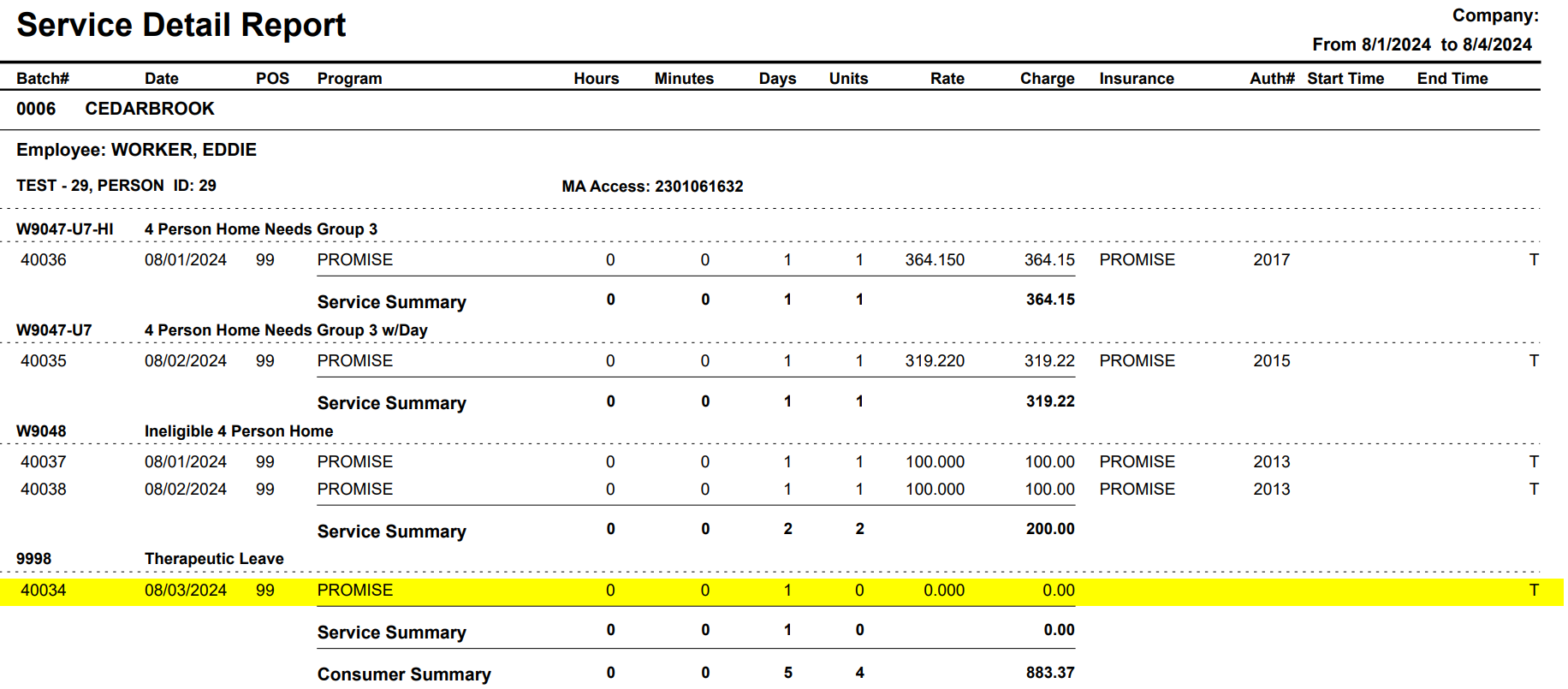
The services entered include:
- 8/1 Without Day and ineligible
- 8/2 With Day and ineligible
- 8/3 Therapeutic Day
- 8/4 No Attendance is entered
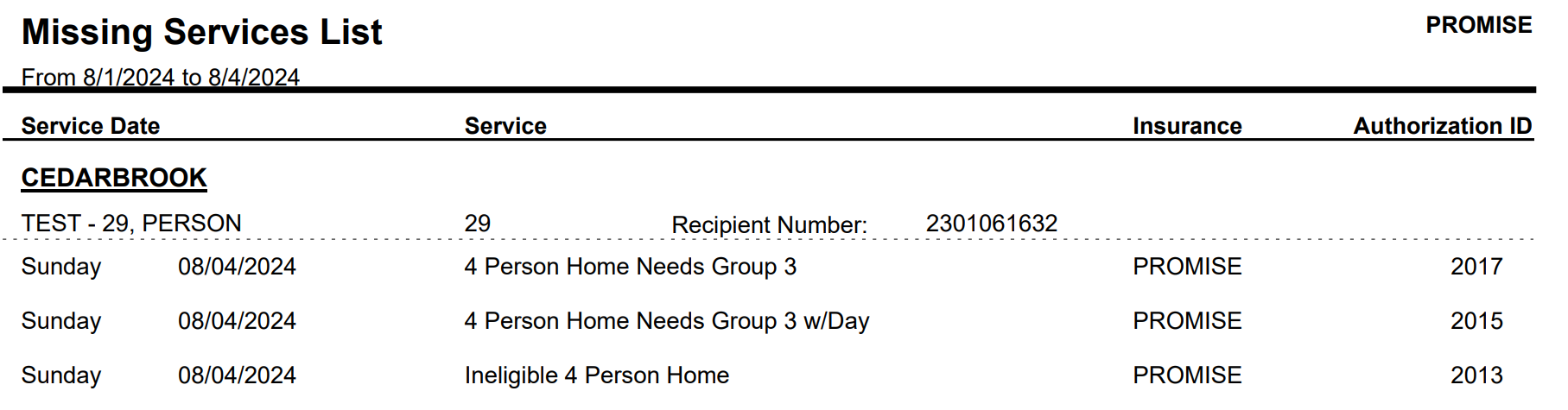
The Missing Services List for the time frame 8/1 to 8/4 shows three lines for 8/4. Because the Test Person has a with, without, and ineligible authorization, the system assumes there should be attendance. Since no attendance is entered for 8/4, this report shows all daily authorizations. Review the day and enter the billable attendance or therapeutic/medical day.
Once you record the missing attendance, rerun the report. The report will now be blank and you can proceed with the billing process.

 VIDEO: Missing Service List
2/2026