
Program Master
Different programs within the agency can be assigned to each client in the Client Master. If assigned, reports can be run by the program. Follow these steps to add or modify program codes. Review the programs setup in the system with Program Listing.
 NAVIGATION: MAINTAIN menu > Master Tables > Rep Payee Tables > Program Master
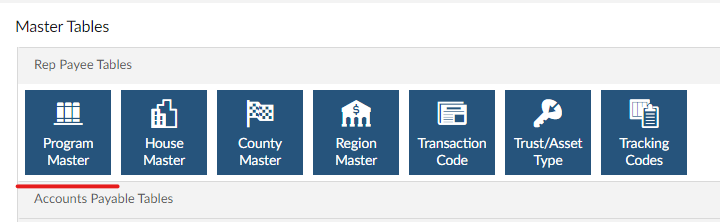
Add a New Program Code
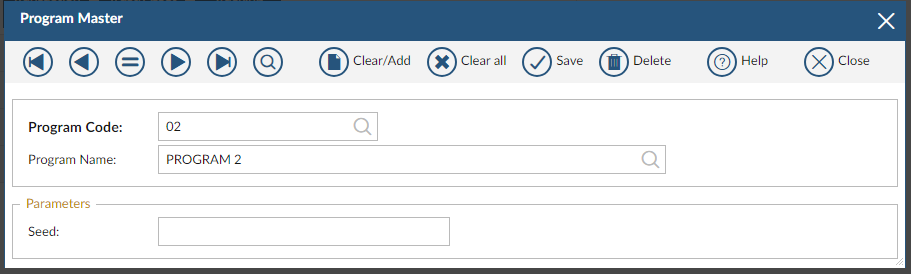
- In the PROGRAM CODE field, enter a unique program code. Press the TAB key.
- In the PROGRAM NAME field, enter a new program name. Press the TAB key.
- In the Seed entry box, enter or select a general ledger account number if your organization is interfacing the Rep Payee information to a General Ledger; otherwise, leave this field blank.
- Click SAVE at the top of the window to save the program information.
Modify an Existing Program Code
- In the PROGRAM CODE field, enter or select an existing program code. Press the TAB key.
- Review or make changes to either the Program Name or G/L Seed.
- The program code is a key field and may not be changed.
- Click SAVE to save the changes.
12/2023