Go to Lists>>Applicant Special Labels
This program will print out Applicant Labels for the same applicants as the last report that was printed.
Click Report Options for more information on the following areas for generating and viewing the report:
Enter the number of labels per applicant to print out. The program will default to one.
Enter the number of labels that you want to skip printing on. This option is useful when you are starting with a partially used sheet of labels.
Place a checkmark in the square if the tracking number should be printed on the label.
Enter a number to reduce the font to.
Click the Pick Label button to bring up a Choose Label browser. Select a label format based upon manufacturer name, number and type from the list.
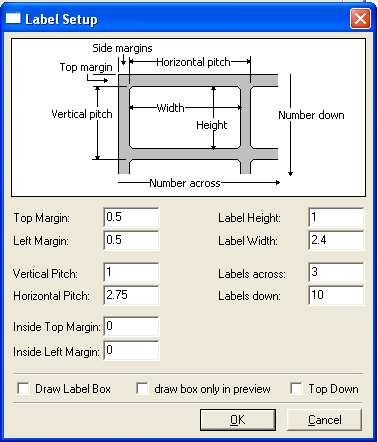
Click the label setup button to adjust the label sizes.
If you have "Picked a label" you may make adjustments to it using this option.
Shown below are the default settings for the labels which is 3 across: