
Go to Utilities>>Update Active Applicants with Current Income Limits
This program will update income limit information for active applicants for one or more Application For areas.
At the top of the view are functions such as Clear and Close. For more information on functions, click here.
Enter or select an Application For code. When an application for code is selected, only the active applicants under that code will be updated.
The Application For field may be left blank to update income limit information for all active applicants.
Click the update button to begin the process of updating income limit information for active applicants based on Application For selections.
When the process is finished an information box like the one shown below will be displayed:
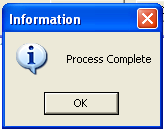
Click the OK button to finish and close the program.
Clicking the Cancel button will close the program without updating income limit information.