
Revised: 04/22/2015
Go to Processes>>Pull Pubic Housing Inspections
This program will pull public housing units, buildings or sites for inspection, whose next inspection due date falls within the date range entered.
See Also:
Enter or select an Area Number for the report or leave blank to generate a report containing information for all areas and communities.
When an Area is selected, its name will be displayed in this field.
Enter or select a Community for the report or leave this field blank.
If the Area Number is left blank a community cannot be selected.
When a Community is selected, its name will be displayed in this field.
Enter or select a beginning date for the report range.
Enter or select an ending date for the report range.
Select one of the following pull modes:
1. Units Only
2. Buildings/Sites and Units
3. Buildings/Sites Only
Enter or select a date or leave this field blank.
All pulled inspections will be scheduled for this date unless it is left blank.
Select an Inspector or leave this field blank.
All pulled inspections will be associated with the selected inspector unless this field is left blank.
Select a handheld number or leave this field blank.
All pulled inspections will be associated with the selected handheld number unless this field is left blank.
Select one of the following options:
Annual
Sweep
Click the process button to pull the units, buildings or sites over for inspection. A process complete information box will be displayed when the inspectable units, buildings or sites have been pulled.
For Example:
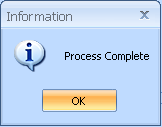
Click OK
A report option box such as the one below will be displayed:
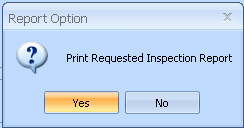
Click Yes to bring up the Requested Inspection Report program
The report may be printed or previewed out from this program
Click No to close the program without printing the report.